InfoBedingungenDatenschutzKontakt
 
Wird aktualisiert
TV Cast for Samsung® TV

TV Cast for Samsung® TV

Veröffentlicht: 2015-03-26
© 2kit consulting
TV Cast for Samsung® TV - QR Code
Version 3.3
17+
Laden im App Store
Version 3.3
17+
Laden im App Store
Veröffentlicht: 2015-03-26
© 2kit consulting

iPhone Screenshots

Screenshot
Screenshot
Screenshot
Screenshot
Screenshot

iPad Screenshots

Screenshot
Screenshot
Screenshot
Screenshot
Screenshot

Beschreibung

Watch any web-video, online movie, livestream or live tv show on your Samsung Smart TV or Blu-ray Player. Enjoy the show on your big screen with the no#1 web video streamer.
With Video & TV Cast for Samsung Smart TV you can browse the web and stream any web video, online movie, livestream or live tv show you want on your Samsung Smart TV. Mp4, m3u8, hls livestreams and also video-over-https are supported.
There is no time limit at all! You can watch videos of 2 minutes or 2 hours or even more. Just open Video & TV Cast, navigate to a website, wait for link detection and send the video with a single tap to your Samsung Smart TV. The discovered link will be shown below the browser. A tap on the link will start the show. You don't need to install a big media server like Plex or any other third party software.
>>> Important Notes
* To enable video casting please open the Samsung App Store (Smart Hub) on your TV or Blu-ray Player, search for 'TV Cast' and install the receiver app.
* Please enter the ip-adress of your iPhone/iPad by using the number pad and up/down/left/right keys on your Samsung TV Remote. Just enter the numbers, no need to press the enter key.
* iTunes movies, Flash video and other DRM protected videos like HBO now are not supported!
* Please test your favorite videos with the free edition before upgrading!
* Please use the Remote Playbar for video control while browsing (see more info below)
* The app streams only the video part of a website and not the whole website content (No screen or tab mirroring!).
* Sometimes it is necessary to play the video on your iPad or iPhone first before it gets discovered by the app for streaming. It may also be neccessary to start casting multiple times until it works with specific videos.
* If a specific video is not working, please check the FAQ on the app startpage. If that does not help you, please drop us an email before leaving a negative comment on the App Store. We will try to add support for that website as soon as possible.
>>> UPGRADE FEATURES (available as in-app purchases)
* Premium Edition: Unlocks all of the features listed here. Also future features are included, so you do not have to pay for them when they are released in an updated app version.
* Remote Playbar: Use the Playbar for advanced video control while browsing, including video scrubbing, forward, rewind, play, pause, stop. The playbar works on all Samsung Smart TVs and Blu-ray Players. You can also use the included TV Remote for basic video control (play, pause, stop, forward and rewind videos) and navigating in Samsung Smart Hub. The TV Remote currently works on 2010 - 2013 TVs.
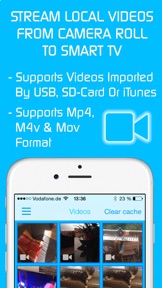
* Local Videos: Cast your camera roll videos from an iPhone or iPad. Supports mp4, m4v and mov videos that were saved to the camera roll via Apples SD-Card/USB Adapter, iTunes Desktop Software or third party apps.
* Ad-Blocker: Blocks ads & popups on most websites and removes the sponsoring ads from the app. You can update and enable/disable ad-blocking at any time in the settings.
* Bookmarks: Save unlimited website bookmarks. Synchronize and transfer them between different TV Cast apps and iOS devices by using backup and restore via iCloud.
* Desktop Mode: Change the browser user-agent and cloak your iPhone/iPad as a desktop PC to load the desktop website instead of a mobile website. Please note that this will NOT enable video casting on websites that serve Flash videos in desktop mode.
* Change Homepage: Set your personal homepage in the settings.
Disclaimer: This app is not affiliated with Samsung or any other trademark mentioned here.

Neue Funktionen von Version 3.3

- Bug fixes

Anbieter

Name

Kraus und Karnath GbR 2Kit Consulting

Informationen

Kategorien

Version

3.3

Größe

65,7 MB

Game Center

Nein

VPP Device Licensing

Ja

Bewertung

Freigabe 17+ für Folgendes:
Unbeschränkter Zugang zum Web

Kompatibilität

iOS 10.0 oder neuer

Geräte

iPhone 5, iPhone 5c, iPhone 5s, iPhone 6, iPhone 6 Plus, iPhone 6s, iPhone 6s Plus, iPhone SE, iPhone 7, iPhone 7 Plus, iPhone 8, iPhone 8 Plus, iPhone X, iPhone XR, iPhone XS, iPhone XS Max, iPhone 11, iPhone 11 Pro, iPhone 11 Pro Max, iPhone SE (2. Generation), iPhone 12, iPhone 12 Pro, iPhone 12 Pro Max, iPhone 12 mini, iPhone 13, iPhone 13 Pro, iPhone 13 Pro Max, iPhone 13 mini, iPhone SEThirdGen, iPad (4. Generation) (Wi-Fi), iPad (4. Generation) (4G), iPad (5. Generation) Wi-Fi, iPad (5. Generation) Wi-Fi + Cellular, iPad (6. Generation) Wi-Fi, iPad (6. Generation) Wi-Fi + Cellular, iPad Pro, iPad Pro (Cellular), iPad Pro (9,7 Zoll), iPad Pro (9,7 Zoll) (Cellular), iPad Pro (12,9", 2. Generation), iPad Pro (12,9", 2. Generation) Wi-Fi + Cellular, iPad Pro (10,5"), iPad Pro (10,5") Wi-Fi + Cellular, iPad Pro (11"), iPad Pro (11") Wi-Fi + Cellular, iPad Pro (12,9", 3. Generation), iPad Pro (12,9", 3. Generation) Wi-Fi + Cellular, iPad Air, iPad Air (Cellular), iPad Air 2, iPad Air 2 (Cellular), iPad Air (3. Generation), iPad Air (3. Generation) Wi-Fi + Cellular, iPad mini Retina, iPad mini Retina (Cellular), iPad mini 3, iPad mini 3 (Cellular), iPad mini 4, iPad mini 4 (Cellular), iPad mini (5. Generation), iPad mini (5. Generation) Wi-Fi + Cellular, iPad (7. Generation) Wi-Fi + Cellular, iPad Pro 11" (2. Generation), iPad Pro 11" (2. Generation) Wi-Fi + Cellular, iPad Pro 12,9" (4. Generation), iPad Pro 12,9" (4. Generation) Wi-Fi + Cellular, iPad Air (4. Generation) (Wi-Fi), iPad Air (4. Generation) (Wi-Fi + Cellular), iPad (8. Generation) Wi-Fi, iPad (8. Generation) Wi-Fi + Cellular, iPad Pro 11" (3. Generation), iPad Pro 11" (3. Generation) Wi-Fi + Cellular, iPad Pro 12,9" (5. Generation), iPad Pro 12,9" (5. Generation) Wi-Fi + Cellular, iPad (9. Generation), iPad (9. Generation) Wi-Fi + Cellular, iPad mini (6. Generation), iPad mini (6. Generation) Wi-Fi + Cellular, iPad AirFifthGen, iPad AirFifthGenCellular, iPod touch (6. Generation), iPod touch (7. Generation)

Sprachen

Englisch

App Store: Kundenbewertungen

Bewertungen & Rezensionen

4,2 von 5 (371 Bewertungen)

App Store: Kundenrezensionen

2021-10-09

App cast

Weltklasse
hoizii
2021-04-26

Best free video cast app

I’ve tried a bunch of apps and gotta say that this is the best free video cast app out there.
kaya6969
Version 1.14
2021-02-13

nichts geht

wenn man die Gratisversion verwendet wird man in eine Endlosschleife dee Werbung geschickt - der Film selbst kann nicht runtergeladen werden. Premiumkauf scheiterte auch - ich kann nichts verwenden
candle29
Version 1.4
2020-12-07

Samsung

super geiler App
12345nha
Version 1.18
2020-10-12

Works perfectly

It‘s easy to stream any video of the internet on your TV - it‘s the app I was always looking for.
tom1234567:-)
Version 1.19
2020-10-05

Funktioniert nur halb

Gewisse Sender gehen nicht mehr zum streamen
Ilona1986
Version 1.12
2020-09-09

Funktioniert nicht!

Videos werden nicht gestreamt!
thomas1284
Version 1.2
2019-09-19

Müll

So ein dreck nur werbungen obwohl premium gekauft wurde
Oflu1
Version 3.0
2019-08-18

To

To many adds
scarmaz
Version 2.2
2019-05-04

TV Cast

Works great from my iPhone to an older Samsung TV
Klaus Kogelbauer
Version 1.11
2019-05-02

Cool

Coole App, nur seit kurzem lassen sich keine Videos mehr streamen! Deshalb nur 3🌠
M1n486
Version 1.9
2019-04-30

Funktioniert sehr gut

Es funktioniert sehr gut, das verbinde mit dem Gerät geht ganz einfach
Alp950
Version 1.6
2019-04-30

Die beste App um auf dem Fernseher zu streamen

Echt nice
Sebi Creation
Version 1.8
2019-04-27

Müll - völliger Müll

Ohne Bezahlung wird man einfach nur und ausschließlich mit Werbung und Popups bombardiert
almex Foto Graf X
Version 3.2
2019-03-28

ganz ok

stürzt manchmal ab
mzh5
Version 1.3
2018-12-09

Ganz ok

Ist ganz ok die App. Erfüllt ihren Zweck, leider stürzt sie Ur oft ab und dann muss man wieder von Anfang an verbinden, Clip suchen, starten usw. ...
Maaaja
Version 1.20
2018-11-24

Rezension lesen 👇🏻

Ansich ist die App ganz gut, jedoch fehlt mir die direkte Bedienung des TVs über das Handy. Mit der Fernbedienung kann man vor, zurückspulen usw, vorausgesetzt die Fernbedienung hat die gebrauchten Tasten.
Ich finde es super, dass man das Handy zur Gänze benützen kann während man den Film, die Serie oder was auch immer genießt!
Coole Sache!
Mdhwbsbue (Marko)
Version 1.15
2018-05-12

tolle App

Funktioniert in Verbindung mit Samsung SmartTV einwandfrei
Stefano.1
Version 1.5
2018-01-27

Funktioniert einfach nicht!

Einfach die selbe IP Adresse wie im Tutorial eingeben funktioniert nicht. Auch super-schlaue Tips wie ein Internet reboot führt nicht zum Erfolg.
Nutzlose App. Hätte echt nice werden können...
Jonny_awesome_13
Version 1.10
2017-11-22

Alter super app

Jo
AlterManuek
2017-10-15

Müll

7,90 bezahlt, adds werden jetzt geblockt das stimmte zwar, aber film funktioniert ohne adds garnicht. Z.b. Streamcloud.
1Stern nur weil verbindung zum lg smart tv funktioniert. Ich weis zwar nicht warum ich die IP jedes mal neu einstellen muss, aber gut wenn das alles wäre wäre es ne gute app. Ist sie aber vong 1 stern her nun aber eben nicht
thisiselectro
2017-10-09

Stürzt einfach ab!

Nehmen Geld, und liefern Schrott! Es funktioniert nicht mehr!
Ibk2015
2017-09-19

Schlecht

Funktionierte sehr gut, jetzt lässt sich keine Verbindung mehr herstellen!
Godfreak 2
2017-07-10

Assia zeidan

Echt supper❤️
assia zeidan
2017-06-14

Feine App!

Funktioniert tadellos mit meinem iPad (im Gegensatz zur Samsung-eigenen App 'SmartView'...klar, dass Samsung Schwierigkeiten in der Anbindung von Apple-Produkten macht.)
Toll wäre, wenn die Entwickler auch noch ein einfaches Screen Mirroring draufpacken würden.
Aber auch so 5 Sterne!
Wwwolke
2017-05-10

Weltklasse!

Funkt bestens!
hhirsch
2017-05-04

Hat so viele Fehler

Bricht einfach mitten im Stream ab, hat Tausende von Fehler,... unbrauchbar bis die Apo endlich optimiert wird.
Lol maker by ron
2017-04-05

Tv cast (s)

Gut gemacht
Erh4n75
2017-03-27

Totaler müll

Bricht ständig die Verbindung ab.
Ab und zu kommt die app mit dem buffering nicht hinterher, trotz 20mbit.
Kein Support seitens des herstellers!
Poly321456
2017-01-04

Schrott

Kann die app öffnen, findet meinen samsung smart tv jedoch nicht! Somit ist diese app nutzlos! Es gibt bessere alternativen
Deki RS
2016-11-19

Super

App weiter so
Maljkovic Sasa
2016-07-15

top app

👍🏼
Pamuk03
2016-06-16

Katastrophe

Von 20 Versuchen klappt die Übertragung vlt 1 mal. Sobald die Werbung angezeigt wird, darf man diese nicht wegklicken, dann ansonsten der Stream wieder abbricht
cz1984cz
2016-05-30

Perfekt!

Läuft nach meinen Vorstellungen ist zum empfehlen!
Bärlidrummer
2016-05-27

Super

👍👍👍
Harald harii
2016-04-30

Perfeeeekt 1000 sterne für diese tolle erfindung

Funktioniert einwandfrei !
Love iit <3
Liridon kaya
2016-03-15

Richtig cool

Kann endlich meine Serien auf meinem Fernseher anschauen❤️
Alper7
2016-01-18

Ist okay

Ab und zu lässt es sich garnicht verbinden und muss dann die IP Adresse ändern. Die Videos werden generell alle im Vollbildmodus gezeigt und damit sind die Bilder ziemlich gestreckt und das nervt schon. Man kann die größe auch nicht ändern. Aber generell eine tolle App. Volle sterne für mehr Optionen
Viennaink
2015-12-12

Videos ganz ok!

Einfach zu bedienen, funktioniert. Gute Bildqualität und ruckelfrei!
nethome
2015-12-11

Kein Live Tv

Also bei mir zeigt diese App keine Live TV Funktion oder sonst andere Dinge an. Nur die Videofunktion
♓⚡♓🅰
2015-10-12

Bug

Hat bis jetzt immer super funktioniert doch plötzlich wenn ich den da Blocker anmachen will stürzt die App ab u wenn ich sie wieder starte ist sie kurz offen und schließt sich dann wieder sobald es behoben is 5 Sterne jz nur 1 ner
Bot543
2015-08-04

Tolle App

👍
Adis28