InfoBedingungenDatenschutzKontakt
 
Wird aktualisiert
Mark II Artist's Viewfinder

Mark II Artist's Viewfinder

Veröffentlicht: 2013-12-14
© 2009-2018 DIRE Studio Kft.
Mark II Artist's Viewfinder - QR Code
Version 6.1
4+
Laden im App Store
Version 6.1
4+
Laden im App Store
Veröffentlicht: 2013-12-14
© 2009-2018 DIRE Studio Kft.

iPhone Screenshots

Screenshot
Screenshot
Screenshot
Screenshot
Screenshot

iPad Screenshots

Screenshot
Screenshot
Screenshot
Screenshot
Screenshot

Beschreibung

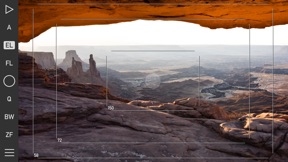
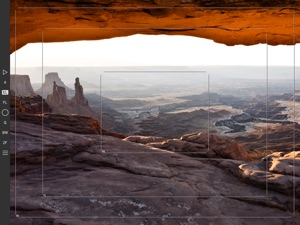
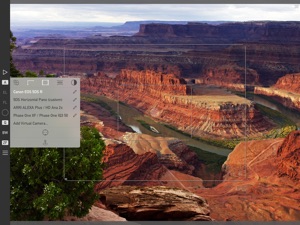
Artist's Viewfinder assists the filmmaker or still photographer in exploring different places and angles to find the optimal placement for the camera, and to second-guess compositions. By simulating real camera and lens combinations it allows you to visualize what you are going to shoot without actually setting up the camera. And it's also a great tool to train yourself to see.
Handles Like Your Camera
Exposure compensation. Auto-focus lock. AF confirmation beep. A Quick Control Screen for accessing frequently needed functions. Smart Function Keys. Shutter release via the Volume Up button. We designed the Mark II so that you could feel at home the moment you start working with it. And because it also saves high resolution photos, you can even use it as a regular camera.
Visualize the Grand Landscape
Paired with a 0.5x-class super-wide converter lens*, the Mark II becomes an indispensable tool for landscape and architecture photographers. The combination can simulate super-wide lenses up to around 16mm on the full-frame 35mm format. Or you can use it to compose super-wide stitched images. The Mark II even removes distortion present in the wide converter lens — in real time.
* FOR THE LIST OF SUPPORTED CONVERTER/DEVICE COMBINATIONS PLEASE VISIT: http://www.artistsviewfinder.com/tech-specs/
When There's No Need for Color
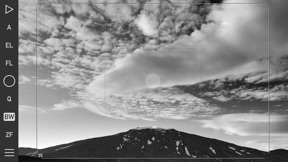
In black & white mode Artist's Viewfinder shows just the luminance information of the scene, making it easier to explore tonal structures and simulate what a black & white photograph will look like. Taking it a step further, the optional dark and neutral toolbar theme ensures that colors from the app doesn't interfere with your composition.
Unprecedented Simulation Flexibility
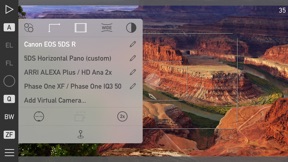
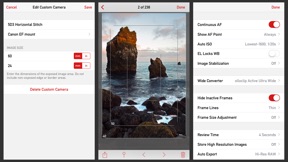
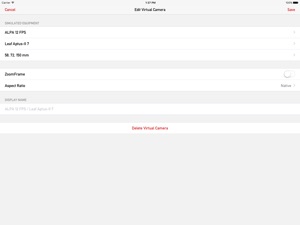
The Mark II leverages our extensive Viewfinder Camera Database, containing more than 600 still and motion picture cameras, 150 medium/large format backs and countless lenses — incorporating real lens data for ALPA, Hartblei, Leica, Rodenstock, Schneider and Zeiss glass. And you can define your own cameras and lenses when you need something special for the job.
Does What Optical Viewfinders Can't Even Dream Of
Artist's Viewfinder stores location and simulation metadata with the pictures, allowing you to evaluate results of a location scout later on your computer. Or you can send the information off to the rest of the crew or to a rental house, right from the app. It also records a standard GPX format track log, alleviating the need for a separate logging device.
Want to Learn More?
The Viewfinder Handbook explains every single feature of the Mark II. It is an iPad optimized free PDF eBook available at: http://www.artistsviewfinder.com/handbook/

Neue Funktionen von Version 6.1

New features:
• Added support for iPhone XS Max and XR screen sizes.
• Added support for iPad Pro 11" and iPad Pro 12.9" 3rd Generation.
• Improved main screen layout for iPhone X, XS, XS Max and XR matches practical still and motion picture aspect ratios better.
• Lab measured angle of views for iPhone XS Max.
• Added a menu item to quickly access our privacy policy and a privacy notice before sending a problem report.
• The Quick Control Screen opens much faster when launching the app afresh.
• Improved iOS 12 compatibility.
Changes:
• The default Toolbar Theme has been changed to Dark & Neutral.
Fixes:
• AF and protective metering is now properly reset to the position indicated by the AF point when changing cameras and when the app comes back from the background.
• Corrected a problem that might cause the Black and White Mode and the Wide Mode function toggles temporarily unresponsive after very low live view frame rates.
• Corrected catalog browser positioning on iPhone X/XS/XS Max/XR.
Added cameras:
• ALPA 12 PLUS
• Canon EOS R
• Fujifilm GFX 50R, X-T3
• Leica M10-D, M10-P
• Nikon D3500, Z6, Z7
Added backs:
• Phase One IQ4 150, IQ4 150 Achromatic, IQ4 100 Trichromatic

Anbieter

Name

DIRE Studio Kft.

Informationen

Entwickler

Kategorien

Version

6.1

Größe

6,9 MB

Game Center

Nein

VPP Device Licensing

Ja

Bewertung

Altersfreigabe: 4+

Kompatibilität

iOS 10.0 oder neuer

Geräte

iPad Air 2 (Cellular), iPad mini Retina (Cellular), iPad Pro (11"), iPad (5. Generation) Wi-Fi, iPad (6. Generation) Wi-Fi, iPod touch (6. Generation), iPad Pro (11") Wi-Fi + Cellular, iPad (6. Generation) Wi-Fi + Cellular, iPad Pro (12,9", 3. Generation), iPad (5. Generation) Wi-Fi + Cellular, iPad mini (5. Generation) Wi-Fi + Cellular, iPad mini (5. Generation), iPad Pro, iPad mini 3, iPad mini 4 (Cellular), iPad mini 4, iPad Air 2, iPad Pro (12,9", 2. Generation), iPad Pro (Cellular), iPad Pro (9,7 Zoll) (Cellular), iPad Pro (10,5") Wi-Fi + Cellular, iPad Pro (9,7 Zoll), iPad Air (3. Generation) Wi-Fi + Cellular, iPhone 6 Plus, iPad Air (3. Generation), iPad Pro (10,5"), iPad Pro (12,9", 2. Generation) Wi-Fi + Cellular, iPhone 6, iPhone XR, iPhone XS, iPhone 6s, iPhone SE, iPhone 7 Plus, iPhone 6s Plus, iPhone 5s, iPhone X, iPhone 8, iPhone XS Max, iPhone 8 Plus, iPhone 7, iPhone 5, iPad (7. Generation) Wi-Fi, iPhone 5c, iPad (7. Generation) Wi-Fi + Cellular, iPad Pro (12,9", 3. Generation) Wi-Fi + Cellular

Sprachen

Deutsch, Chinesisch, Englisch, Französisch

App Store: Kundenbewertungen

Bewertungen & Rezensionen

5,0 von 5 (1 Bewertung)

App Store: Kundenrezensionen

2014-02-23

TOP!

unbeatable quality!
GerhardK1504
Version 3.1