Wird aktualisiert


iPhone Screenshots


iPad Screenshots


Beschreibung
Little Monkey Apps Friends of Ten is an activity to be used in the early years of schooling to introduce an early understanding of numbers to ten, counting objects to ten, subitising - recognising a collection of objects without counting them, counting on from a higher number, partitioning of objects and the combinations that make ten 8+2, 2+8, 1+9, 3+7 etc. These skills underpin mental addition and subtraction.
The importance of recalling number combinations that make ten are that students use strategies for addition, that is, knowing that 7+3 is the same as 8+2. This introduces the idea of patterns and compensation (one up, one down). These activities develop the concept that addition and subtraction are linked.
Little Monkey Apps Friends of Ten can be used in the traditional classroom to collaborate with a small group or used by individual learners. For both types of users, a written record such as poster or chart collating knowledge of what was said previously allows revisiting and adding to knowledge.
Little Monkey Apps Friends of Ten is designed to encourage verbal communication about discoveries and build upon previous knowledge. Little Monkey Apps Friends of Ten tasks are often best utilised through the Threading technique. That is the task is to be used 2 or 3 times a week for a few minutes each time over a period of time. The student(s) are therefore familiar with the structure of the activity but the challenge is new each time. This technique allows students to construct their own learning.
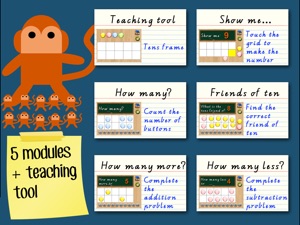
The App is broken up into a number of sections. A teaching module and independent tasks to reinforce skills.
=Tens Frame=
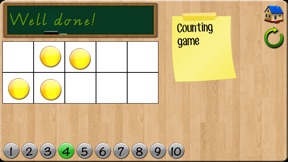
Teaching module - a blank form with counters to be used with teacher interaction
=Show me=
Independent or collaborative task to create a given number on the Tens frame
=How many?=
Independent or collaborative count, recognise and move counters to make it easier to count.
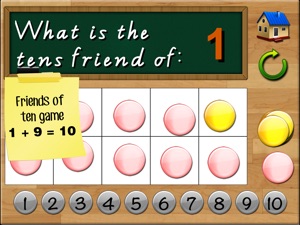
=Friends of Ten=
Independent or collaborative
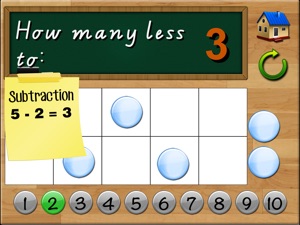
=How many less?=
Independent or collaborative
=How many more?=
Independent or collaborative
Recognising and Making Numbers
Initially students will demonstrate an understanding of numbers to ten by arranging counters or objects a 'Tens frame.' Use the Tens frame section to do this. Some students will commence counting from 0 when they place the counters on the frame. Some may arrange the counters haphazardly whilst others will arrange the counters on the top row or in 'partners'.
Neue Funktionen von Version 1.31
Dark mode fixes
Anbieter
Name
Aleesha Kondys
Informationen
Entwickler
Kategorien
Version
1.31
Größe
18,9 MB
Game Center
Nein
VPP Device Licensing
Ja
Bewertung
Altersfreigabe: 4+
Kompatibilität
iOS 12.0 oder neuer
Geräte
iPhone 5s, iPhone 6, iPhone 6 Plus, iPhone 6s, iPhone 6s Plus, iPhone SE, iPhone 7, iPhone 7 Plus, iPhone 8, iPhone 8 Plus, iPhone X, iPhone XR, iPhone XS, iPhone XS Max, iPhone 11, iPhone 11 Pro, iPhone 11 Pro Max, iPhone SE (2. Generation), iPhone 12, iPhone 12 Pro, iPhone 12 Pro Max, iPhone 12 mini, iPhone 13, iPhone 13 Pro, iPhone 13 Pro Max, iPhone 13 mini, iPhone SE (3. Generation), iPhone 14, iPhone 14 Plus, iPhone 14 Pro, iPhone 14 Pro Max, iPhone 15, iPhone 15 Plus, iPhone 15 Pro, iPhone 15 Pro Max, iPhone 16, iPhone 16Plus, iPhone 16Pro, iPhone 16ProMax, iPhone 16e, iPad (5. Generation) Wi-Fi, iPad (5. Generation) Wi-Fi + Cellular, iPad (6. Generation) Wi-Fi, iPad (6. Generation) Wi-Fi + Cellular, iPad Pro, iPad Pro (Cellular), iPad Pro (9,7 Zoll), iPad Pro (9,7 Zoll) (Cellular), iPad Pro (12,9", 2. Generation), iPad Pro (12,9", 2. Generation) Wi-Fi + Cellular, iPad Pro (10,5"), iPad Pro (10,5") Wi-Fi + Cellular, iPad Pro (11"), iPad Pro (11") Wi-Fi + Cellular, iPad Pro (12,9", 3. Generation), iPad Pro (12,9", 3. Generation) Wi-Fi + Cellular, iPad Air, iPad Air (Cellular), iPad Air 2, iPad Air 2 (Cellular), iPad Air (3. Generation), iPad Air (3. Generation) Wi-Fi + Cellular, iPad mini Retina, iPad mini Retina (Cellular), iPad mini 3, iPad mini 3 (Cellular), iPad mini 4, iPad mini 4 (Cellular), iPad mini (5. Generation), iPad mini (5. Generation) Wi-Fi + Cellular, iPad (7. Generation) Wi-Fi + Cellular, iPad Pro 11" (2. Generation), iPad Pro 11" (2. Generation) Wi-Fi + Cellular, iPad Pro 12,9" (4. Generation), iPad Pro 12,9" (4. Generation) Wi-Fi + Cellular, iPad Air (4. Generation) (Wi-Fi), iPad Air (4. Generation) (Wi-Fi + Cellular), iPad (8. Generation) Wi-Fi, iPad (8. Generation) Wi-Fi + Cellular, iPad Pro 11" (3. Generation), iPad Pro 11" (3. Generation) Wi-Fi + Cellular, iPad Pro 12,9" (5. Generation), iPad Pro 12,9" (5. Generation) Wi-Fi + Cellular, iPad (9. Generation), iPad (9. Generation) Wi-Fi + Cellular, iPad mini (6. Generation), iPad mini (6. Generation) Wi-Fi + Cellular, iPad Air (5. Generation), iPad Air (5. Generation) Wi-Fi + Cellular, iPad Pro 11" (4. Generation), iPad Pro 11" (4. Generation) Wi-Fi + Cellular, iPad Pro (12,9", 6. Generation), iPad Pro (12,9", 6. Generation) Wi-Fi + Cellular, iPad (10. Generation), iPad (10. Generation) Wi-Fi + Cellular, iPad Air (11″, M2, Wi-Fi), iPad Air (13″, M2, Wi-Fi), iPad Air (13″, M2, Wi-Fi + Cellular), iPad Pro (11″, M4, Wi-Fi), iPad Pro (11″, M4, Wi-Fi + Cellular), iPad Pro (13″, M4, Wi-Fi), iPad Pro (13″, M4, Wi-Fi + Cellular), iPad MiniA17Pro, iPad MiniA17ProCellular, iPod touch (6. Generation), iPod touch (7. Generation)
Sprachen
Englisch, Französisch
App Store: Kundenbewertungen
Bewertungen & Rezensionen
0,0 von 5 (Keine Bewertung)
App Store: Kundenrezensionen
Kein Eintrag