Wird aktualisiert
PDF Password Remover - Remove PDF Password
Veröffentlicht: 2011-08-04
© Flyingbee Software


iPhone Screenshots
iPad Screenshots


Beschreibung
PDF Password Remover iOS universal is a small yet powerful PDF decryption tool on iOS devices. It enables iPhone, iPad users to remove copying and printing restrictions from encrypted PDF files. It's quick and easy-to-use. Click “...More” to learn why you should download this App today!
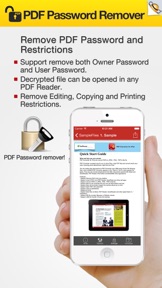
PDF Password Remover can be used to decrypt protected Adobe Acrobat PDF files, which have "owner" password set, preventing the file from editing (changing), printing, selecting text and graphics (and copying them into the Clipboard), or adding/changing annotations and form fields. Decryption is being done instantly. Decrypted file can be opened in any PDF viewer (e.g. Adobe Acrobat Reader) without any restrictions -- i.e. with edit/copy/print functions enabled. All versions of Adobe Acrobat (including 9.x, which features 128-bit encryption) are supported.
The standard security provided by PDF consists of two different methods and two different passwords, 'user password' and 'owner password'. A PDF document may be protected by password for opening ('user' password) and the document may also specify operations that should be restricted even when the document is decrypted: printing; copying text and graphics out of the document; modifying the document; and adding or modifying text notes and AcroForm fields (using 'owner' password).
Limitation:
Please note that PDF Password Remover doesn't work with documents which have 'user' password (preventing the files from being opened), if both user and owner passwords are unknown the PDF Password Remover will fail.
What we do:
1. Decrypt PDF files protected with owner passwords.
2. Removing restrictions of PDF files, Restrictions usually include the impossibility to print or edit or modify the PDF file.
3. If only copying is locked, you don't need input owner password to enable copy text and graphics out of the document.
What we don't do:
1. Decrypt PDF files protected with user passwords which you are asked for opening the file.
2. PDF Password Remover doesn't crack your PDF files .
=> Features:
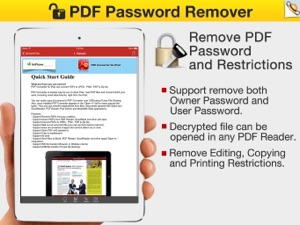
• Remove PDF Password and Restrictions:
1. If the PDF file is protected by Owner Password: Users may need to type the password to unlock the PDF file manually, and then PDF Password Remover can unlock the PDF automatically and create unlocked PDF copy of the original file.
*Owner Password: Password which is used to protect PDF files from editing, copying and printing.
2. If the PDF file is protected by User Password: Users need to type the password to unlock the PDF file manually, and then PDF Password Remover can create unlocked PDF copy of the original file too.
*User Password: Password which is used to protect the files from opening. It is also called Open Password sometimes.
=> Easy to use
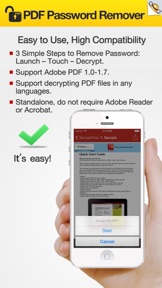
Remove PDF password and restrictions with just 3 simple steps: Launch – Touch – Decrypt
=> High Compatibility
Support Adobe PDF 1.0-1.7
Support decrypting PDF files in any languages
Standalone, do not require Adobe Reader or Acrobat
=> More:
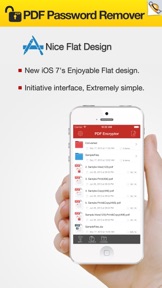
• Really attractive, super easy to use interface.
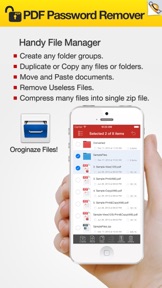
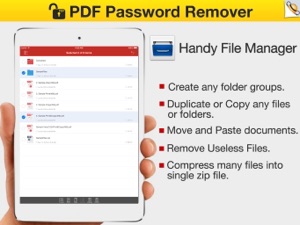
• Open, import, export, convert and share PDF files.
• Remove PDF password and all restrictions.
• Remove the security settings from your encrypted PDF file is instant.
• Decrypt protected Adobe Acrobat PDF files, removing restrictions on printing, editing, copying.
• Send documents as email attachments.
• Copy to pasteboard.
• Air print any part or all of a document.
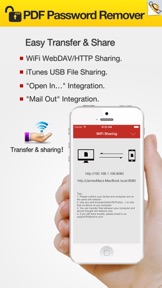
• Send files to iBook, PDF Reader, GoodReader and other apps("Open In.." integration)
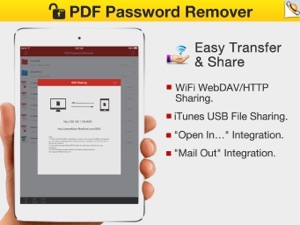
• WiFi file transfer (Browser or Webdav clients).
• USB file transfer (iTunes file sharing).
Any questions, suggestions and problems please let us know.
We will reply ASSP, and continue to update.
Neue Funktionen von Version 2.3
> iOS 10 Compatibility. Fully compatible with iOS 10 now.
> Update file list sort, Bugs fixed.
> General performance and stability improvements.
Thank you for using our app! If you have a moment to leave a review in the App Store we would really appreciate it.
Anbieter
Name
Flyingbee Software Co., Ltd.
Informationen
Entwickler
Kategorien
Version
2.3
Größe
5,6 MB
Game Center
Nein
VPP Device Licensing
Ja
Bewertung
Altersfreigabe: 4+
Kompatibilität
iOS 8.0 oder neuer
Geräte
iPhone 11 Pro Max, iPad Air 2 (Cellular), iPad mini Retina (Cellular), iPad Pro (11"), iPad (5. Generation) Wi-Fi, iPad (6. Generation) Wi-Fi, iPod touch (6. Generation), iPad Pro (11") Wi-Fi + Cellular, iPad (6. Generation) Wi-Fi + Cellular, iPad Pro (12,9", 3. Generation), iPad (5. Generation) Wi-Fi + Cellular, iPad mini (5. Generation) Wi-Fi + Cellular, iPad mini (5. Generation), iPad Pro, iPad mini 3, iPad mini 4 (Cellular), iPad mini 4, iPhone 11, iPod touch (7. Generation), iPad mini 3 (Cellular), iPad Air, iPad Air 2, iPad Pro (12,9", 2. Generation), iPad Pro (Cellular), iPad Pro (9,7 Zoll) (Cellular), iPad Pro (10,5") Wi-Fi + Cellular, iPad Pro (9,7 Zoll), iPad mini Retina, iPad Air (Cellular), iPad Air (3. Generation) Wi-Fi + Cellular, iPhone 6 Plus, iPad Air (3. Generation), iPad Pro (10,5"), iPad Pro (12,9", 2. Generation) Wi-Fi + Cellular, iPhone 6, iPhone XR, iPhone XS, iPhone 6s, iPhone SE, iPhone 7 Plus, iPhone 6s Plus, iPhone 5s, iPhone X, iPhone 8, iPhone XS Max, iPhone 8 Plus, iPhone 7, iPhone 5, iPad (7. Generation) Wi-Fi, iPhone 5c, iPad (7. Generation) Wi-Fi + Cellular, iPhone 11 Pro, iPad Pro (12,9", 3. Generation) Wi-Fi + Cellular
Sprachen
Englisch
App Store: Kundenbewertungen
Bewertungen & Rezensionen
0,0 von 5 (Keine Bewertung)
App Store: Kundenrezensionen
Kein Eintrag