InfoBedingungenDatenschutzKontakt
 
Wird aktualisiert
Trimix Tools

Trimix Tools

Veröffentlicht: 2019-02-12
© 2008-2023 Greg McLaughlin
Trimix Tools - QR Code
Version 2.1.6
4+
Laden im App Store
Version 2.1.6
4+
Laden im App Store
Veröffentlicht: 2019-02-12
© 2008-2023 Greg McLaughlin
-1
Nr. 74 in Top Kauf-Apps > Sport

iPhone Screenshots

Screenshot
Screenshot
Screenshot
Screenshot
Screenshot
Screenshot
Screenshot
Screenshot
Screenshot
Screenshot

iPad Screenshots

Screenshot
Screenshot
Screenshot
Screenshot
Screenshot
Screenshot
Screenshot
Screenshot
Screenshot
Screenshot

Beschreibung

Trimix blending and planning tools that can be used where you are and when you need them.
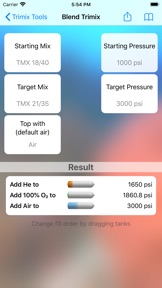
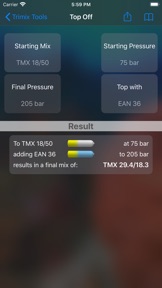
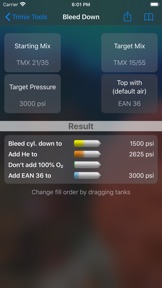
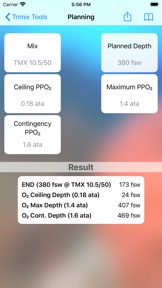
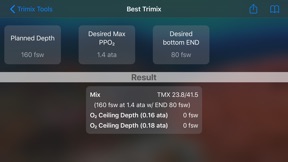
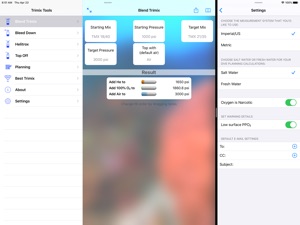
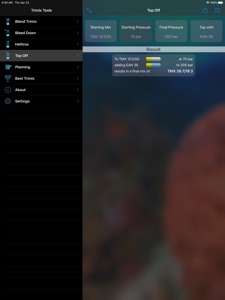
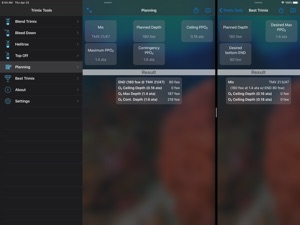
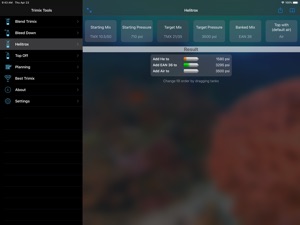
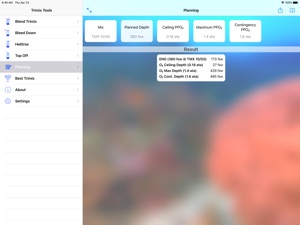
You can use these tools to plan your mixes prior to arriving at the dive shop or to fill your cylinder at the air station or on the boat. Calculations are provided for the best Trimix given a planned depth and a desired maximum partial pressure of oxygen and equivalent narcotic depth (END). You can also calculate the ceiling and maximum depths along with your END based on your planned mix. The dive planning tools support both salt water and fresh water calculations. The blending tools provide for filling a cylinder with a remaining mix (or empty) to a specified target mix using oxygen, helium and a topping mix (air or another available mix). You can also calculate the result of topping an existing partially filled cylinder with a specific topping mix (air or another available mix). There is also a Bleed Down calculator that allows you adjust an existing full or partially full cylinder to a new mix with minimal wasted gas. Trimix Tools supports calculations in both metric and Imperial/US systems of measure.
Traveling on a boat or working out of network range? These tools are at hand any time you have your iPhone, iPad or iPod touch. You could, for example, easily calculate the result of topping your cylinder from your first dive with air from the boat's compressor to take advantage of any remaining mix. You also have the convenience of saved settings that you can recall at a touch and adjust to a new situation as needed.
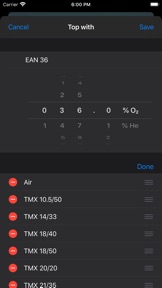
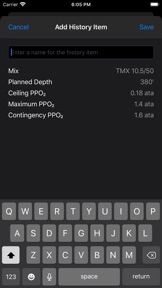
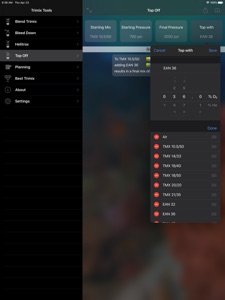
Chances are you regularly work with a specific set of mixes and common dive situations. Trimix Tools includes the convenience of saved settings that you can recall and adjust to a new situation as needed. You can also select mix values using pre-installed default mixes or your own saved custom mixes. When updating one of the mixes for a tool you are offered a list of saved mixes that you can use directly or adjust as needed. You can save the currently displayed mix by tapping on the "+" button. Just like with the saved calculations, you can re-arrange or delete any mixes in your saved list.
Do you need to share your planning or blending calculations with other divers? All the tools have the ability to share the results of the calculations from within the application. You can set default email addresses and a subject Trimix Tool's settings that will be automatically added when you share a result.
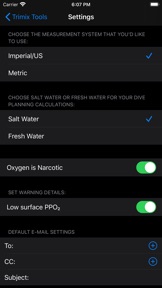
All END calculations (Dive Planning and Best Trimix tabs) in Trimix Tools treat oxygen as a narcotic gas by default. There is an option available under the Settings tab to change the default so that oxygen is not treated as narcotic if that is your preference. Remember you must always personally analyze your mix before diving it.
This application is not a substitute for proper training and should not be used as a substitute for proper dive planning or the primary Trimix blending and planning methods taught during training. Please do not attempt to handle high pressure oxygen or fill SCUBA cylinders without proper training.

Neue Funktionen von Version 2.1.6

• Improved compatibility with iOS 17.

Anbieter

Name

Greg Mclaughlin

Informationen

Entwickler

Kategorien

Version

2.1.6

Größe

18,2 MB

Game Center

Nein

VPP Device Licensing

Ja

Bewertung

Altersfreigabe: 4+

Kompatibilität

iOS 12.0 oder neuer

Geräte

iPhone 5s, iPhone 6, iPhone 6 Plus, iPhone 6s, iPhone 6s Plus, iPhone SE, iPhone 7, iPhone 7 Plus, iPhone 8, iPhone 8 Plus, iPhone X, iPhone XR, iPhone XS, iPhone XS Max, iPhone 11, iPhone 11 Pro, iPhone 11 Pro Max, iPhone SE (2. Generation), iPhone 12, iPhone 12 Pro, iPhone 12 Pro Max, iPhone 12 mini, iPhone 13, iPhone 13 Pro, iPhone 13 Pro Max, iPhone 13 mini, iPhone SE (3. Generation), iPhone 14, iPhone 14 Plus, iPhone 14 Pro, iPhone 14 Pro Max, iPhone 15, iPhone 15 Plus, iPhone 15 Pro, iPhone 15 Pro Max, iPad (5. Generation) Wi-Fi, iPad (5. Generation) Wi-Fi + Cellular, iPad (6. Generation) Wi-Fi, iPad (6. Generation) Wi-Fi + Cellular, iPad Pro, iPad Pro (Cellular), iPad Pro (9,7 Zoll), iPad Pro (9,7 Zoll) (Cellular), iPad Pro (12,9", 2. Generation), iPad Pro (12,9", 2. Generation) Wi-Fi + Cellular, iPad Pro (10,5"), iPad Pro (10,5") Wi-Fi + Cellular, iPad Pro (11"), iPad Pro (11") Wi-Fi + Cellular, iPad Pro (12,9", 3. Generation), iPad Pro (12,9", 3. Generation) Wi-Fi + Cellular, iPad Air, iPad Air (Cellular), iPad Air 2, iPad Air 2 (Cellular), iPad Air (3. Generation), iPad Air (3. Generation) Wi-Fi + Cellular, iPad mini Retina, iPad mini Retina (Cellular), iPad mini 3, iPad mini 3 (Cellular), iPad mini 4, iPad mini 4 (Cellular), iPad mini (5. Generation), iPad mini (5. Generation) Wi-Fi + Cellular, iPad (7. Generation) Wi-Fi + Cellular, iPad Pro 11" (2. Generation), iPad Pro 11" (2. Generation) Wi-Fi + Cellular, iPad Pro 12,9" (4. Generation), iPad Pro 12,9" (4. Generation) Wi-Fi + Cellular, iPad Air (4. Generation) (Wi-Fi), iPad Air (4. Generation) (Wi-Fi + Cellular), iPad (8. Generation) Wi-Fi, iPad (8. Generation) Wi-Fi + Cellular, iPad Pro 11" (3. Generation), iPad Pro 11" (3. Generation) Wi-Fi + Cellular, iPad Pro 12,9" (5. Generation), iPad Pro 12,9" (5. Generation) Wi-Fi + Cellular, iPad (9. Generation), iPad (9. Generation) Wi-Fi + Cellular, iPad mini (6. Generation), iPad mini (6. Generation) Wi-Fi + Cellular, iPad Air (5. Generation), iPad Air (5. Generation) Wi-Fi + Cellular, iPad Pro 11" (4. Generation), iPad Pro 11" (4. Generation) Wi-Fi + Cellular, iPad Pro (12,9", 6. Generation), iPad Pro (12,9", 6. Generation) Wi-Fi + Cellular, iPad (10. Generation), iPad (10. Generation) Wi-Fi + Cellular, iPod touch (6. Generation), iPod touch (7. Generation), Mac Desktop

Sprachen

Englisch

App Store: Kundenbewertungen

Bewertungen & Rezensionen

2,0 von 5 (1 Bewertung)

App Store: Kundenrezensionen

2022-10-02

Excellent programm

Cut down to the necessary details and no frills ;-))
Es gibt nur einen Blauhai !!
Version 2.1.5