Beschreibung
Introducing Agenda, an elegant new take on notes.
Agenda is a date-focused note taking app for iOS and macOS, which helps you plan and document your projects. With its unique timeline, Agenda gives you a complete picture of past, present and future, driving your projects forward.
Whether you're a business manager noting decisions in a meeting, a teacher planning next week’s lessons, or a blogger brainstorming a post, Agenda is ideal for tracking the evolution of your notes.
It's the only note taking app with a strong emphasis on the passage of time, making it the perfect fit for any project. Use it for personal projects like jotting down recipes you’d like to try, or take on major projects at work, planning your next meeting or checking off your daily tasks.
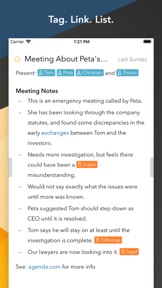
The notes in Agenda are beautifully styled, and include powerful features like tags, lists, and links. You can even connect your notes to events in your calendar.
Locating your notes also couldn't be easier, with powerful search, a project jump bar, and related notes list. And when you find what you're looking for, simply click back in the history to where you were.
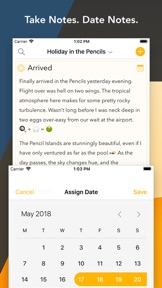
TAKE NOTES. DATE NOTES.
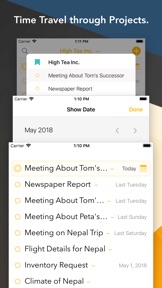
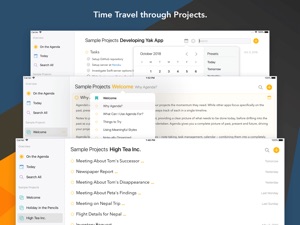
Agenda’s unique timeline approach to organizing notes gives your projects momentum. While other apps focus specifically on the past, present, or future, Agenda is the only notes app that keeps track of each in a single timeline.
Add notes for what is currently on your agenda, while you prepare other notes for an upcoming meeting. Use older notes as breadcrumbs to remind yourself why you took the actions you did.
WHAT'S ON THE AGENDA?
You can attach dates to individual notes, and even link them to events in your calendar. But you can also put them “On the Agenda”.
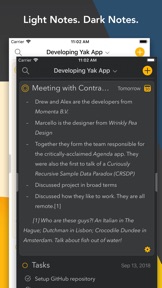
Notes that are On the Agenda are given special status. You can search for them more easily, and they get added to a special overview in the sidebar so you can find them in a flash.
THE 'MEANING FULL' TEXT EDITOR
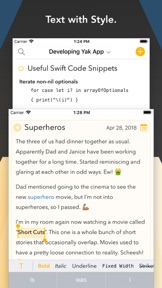
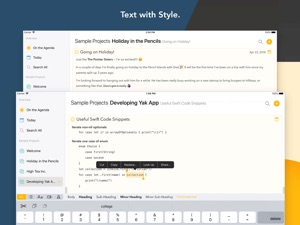
Agenda is a styled-text editor. Styled text is as easy to edit as plain text, but allows meaning to be added, leading to visually stunning documents without breaking a sweat.
Styles include headings, lists, indented blocks, and preformatted text. You focus on the meaning of your notes, and leave Agenda to handle the appearance.
The resulting documents look fantastic, are consistently styled, and can be readily converted to other styled text formats like markdown and HTML.
NOTE-ALLY ORGANIZED
Group your projects into categories to make them easier to find, and order the notes for each project however you choose. You can drag them around, apply dates, or use a mixed approach. You can also collapse notes to save space.
TAKING IT TO TASK
Do you sometimes find yourself using your task manager for more than it is intended?
Agenda is a notes app that has excellent support for tasks. It supports different list styles, including checklists, and allows mixing tasks with more extensive notes.
SHARE NOTES AND PROJECTS
A notes app is not very useful if you can't share what you create. With Agenda, you can print and share notes, even whole projects, in standard formats like PDF, RTF and Markdown. You can also use the Agenda archive format to exchange exact duplicates of your notes with other Agenda users.
MANY DEVICES, ONE AGENDA
Nobody wants their data silo-ed on one device, so Agenda has apps for Mac, iPad, and iPhone, and they sync up via your iCloud account.
PURCHASING AGENDA
Agenda is free, with no time limits. You can use it forever, at no cost.
Agenda does offer extra premium features that require an In App Purchase. If you decide to purchase an upgrade, you permanently unlock all current features across all of your eligible devices. (You can purchase for iOS devices only, or both iOS and macOS.)
Even better, any features we add in the 12 months following your purchase are included, and permanently unlocked as well. All yours to keep.