Wird aktualisiert


iPhone Screenshots





Beschreibung
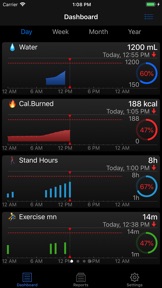
Do you want to manage your health data from your Apple Watch? wHealth is designed for that. Graphs, trends, progress on goals and statistics are displayed quickly and clearly, allowing you to estimate your situation at any time.
You can enter new data from your Apple Watch in seconds, whether it's your hydration, weight, or any other type of data managed by wHealth.
The iPhone version is a great addition to the Apple Health app.
You can set up charts, track your goals, compare with past data, share your results on social media, display Widgets on your home screen, and more.
MAIN FEATURES:
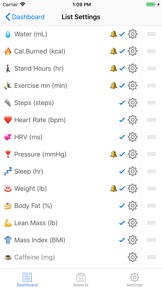
• Configuration according to your preferences, what data to display, in what order.
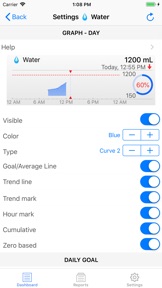
• Choice of presentation style for each data, among 15 colors and 6 types of graphics, with numerous customization parameters.
• Enter new data from your Apple Watch, in seconds
• Define a personal goal for each data with graphic visualization of your progress
• Set up notifications to help you reach your goals.
• Compare your current data with those of the past, by period, at any date.
• Define and create beautiful reports for your personal archives. (Requires in-app purchase)
• Share reports with your friends on social networks
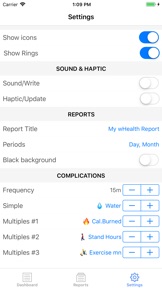
• Support all types of Apple Watch complications as well as multiple complications (WatchOS 7)
• Home screen widgets (iOS14)
• Manages over 50 different health data. Up to 25 data on your Apple Watch dashboard
• Automatic detection of data units used in the Apple Health app
wHealth does not create any data automatically. It displays the data stored in the Apple Health database regardless of which app created it.
MANAGED HEALTH DATA
Body measurements:
• Weight
• Body fat
• Body mass index
• Thin body mass
• Cut
• Waist size
Activity:
• Active energy
• Energy at rest
• Total energy (sum of active and resting energies)
• Exercise minutes
• Workouts
• VO₂ Max
• Standing hours
• Standing minutes
• Not
• Stairs climbed
• Walking and running distance
• Distance walking training
• Distance running training
• Cycling distance
• Ski distance
• Swimming distance
• Breaststroke
• Wheelchair distance
• Wheelchair pushes
• Nike Fuel
Nutrition:
• Water
• Caffeine
• Calories
• Carbohydrates
• Proteins
• Sugar
• Sodium
• fiber
• Total fat
Sleep and vital data:
• Sleep
• Heartbeat
• Heart rate at rest
• Heart rate on
• Heart rate variability (HRV)
• Respiratory rate
• Body temperature
• Blood glucose
• Arterial pressure
• Oxygen saturation
Other:
• Mindfulness
• Environmental audio
• Headphone audio
• Using the inhaler
• Brushing teeth
• Hand washing
CONFIDENTIALITY
Like any iOS application, wHealth will ask for your authorization to access your personal data. Read access for the data you want to display on the dashboard and write access for those for which you want to be able to enter new values from the app.
Any data you might add from wHealth will be saved directly to the HealthKit database and nowhere else.
All data collected by wHealth will remain cached in the app for the sole purpose of quickly displaying your dashboard. This cache will be automatically deleted when the application is uninstalled.
More information on: www.newlifestudio.fr
wHealth, your daily companion for total control of your health.
Neue Funktionen von Version 7.0.010
New features:
- New setting which allows to use trend colors instead of the data color for Progression Rings
- New setting that allows to use the color gradient or a single color when "Gauge: Trend Colors" for complications is activated
- New setting that allows you to disable Notifications if there is no entry today
Changes:
- In accordance with personal information privacy guidelines, complications are now hidden when Apple Watch is locked
- If a notification is muted, its warning messages will now remain displayed on screens and graphics with a mute bell icon
Corrections and optimizations
- The list of complications did not appear for some users and required a restart of the application
- Optimization of complication updates
- Threshold notifications could be triggered repeatedly and ignoring Mute for today
- Orange color used in Trend charts was too close to Red if the system setting 'Increase Contrast' is enabled.
If you enjoy wHealth we would really appreciate if you would take a minute to rate it on the App Store, it means a lot to us.
Anbieter
Name
Jean-Philippe Reynaud
Informationen
Entwickler
Kategorien
Version
7.0.010
Größe
32 MB
Game Center
Nein
VPP Device Licensing
Ja
Bewertung
Altersfreigabe: 4+
Kompatibilität
iOS 12.0 oder neuer
Geräte
iPhone 5s, iPhone 6, iPhone 6 Plus, iPhone 6s, iPhone 6s Plus, iPhone SE, iPhone 7, iPhone 7 Plus, iPhone 8, iPhone 8 Plus, iPhone X, iPhone XR, iPhone XS, iPhone XS Max, iPhone 11, iPhone 11 Pro, iPhone 11 Pro Max, iPhone SE (2. Generation), iPhone 12, iPhone 12 Pro, iPhone 12 Pro Max, iPhone 12 mini, iPod touch (6. Generation), iPod touch (7. Generation), Apple Watch Series 4
Sprachen
Arabisch, Chinesisch, Englisch, Französisch, Italienisch, Japanisch, Spanisch
App Store: Kundenbewertungen
Bewertungen & Rezensionen
0,0 von 5 (Keine Bewertung)
App Store: Kundenrezensionen
Kein Eintrag