Beschreibung
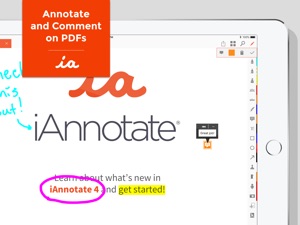
iAnnotate is all new and better than ever. It’s the best way to read, annotate, and share PDFs, Microsoft Office files, images and web pages! Over 1 million people turn to iAnnotate to take notes, sign agreements, highlight documents, insert stamps and more.
New in v4: iPhone support, iPad Pro and multitasking support, automatic Apple Pencil detection, shape annotations, improved web markup, enhanced support for OneDrive (and OneDrive for Business), iCloud Drive, and iCloud backup.
iAnnotate’s award-winning interface and customizable set of features make it the go-to app for taking notes on lecture slides, annotating important business documents, revising screenplays, grading papers, and much more. Read on to learn about the great capabilities of iAnnotate:
IPHONE: Now you can use iAnnotate on your phone, with all of the great features you’ve come to expect on your iPad.
IPAD PRO: iAnnotate works great with the iPad Pro. Automatically annotate when you use the Apple Pencil and easily pan, zoom, scroll with your fingers — no tool switching required. Get more work done with iOS multitasking and smart keyboard shortcuts.
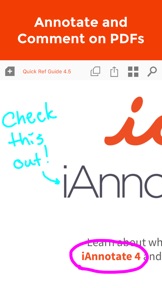
ANNOTATE: Choose from the pen, highlighter, typewriter, stamp, straight-line, note, underline, strikeout, photo, voice recording, arrow, rectangle, circle, and date stamp tools.
CUSTOMIZE: Drag and drop tools to your custom toolbars. Swipe between toolbars, or open the Toolbox to access all your tools.
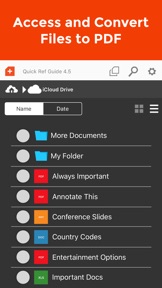
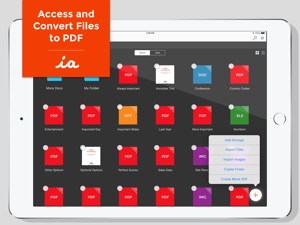
ACCESS: Connect with Box, Dropbox, Google Drive, OneDrive (including OneDrive for Business) or open PDFs directly from email and other apps.
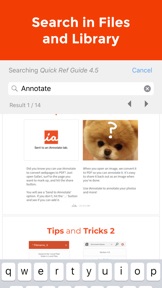
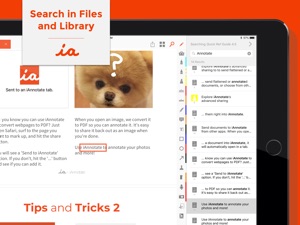
SEARCH: Search documents in your local library and throughout your cloud storage.
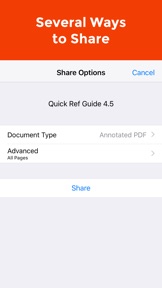
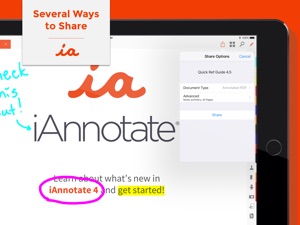
SHARE: iAnnotate saves your markups directly to the PDF, so they can be viewed and edited in external PDF readers.
FLATTEN: Compress your annotations onto the document to prevent modification. This is useful for preserving signatures or for preventing recipients from deleting or changing your annotations.
WEB MARKUP: Open a web capture tab and find the site you want to mark up. iAnnotate will convert it to a PDF for annotation.
NAVIGATE: Explore your documents by thumbnails, bookmarks, annotations, or search results.
UNLIMITED TABS: Open multiple documents in tabs, and easily navigate between them, on both tablet and phone.
TWO DOCUMENTS: Work on two documents side-by-side, for even greater productivity.
MANAGE: Arrange documents by folders and sort contents by date added, date last opened, or alphabetical order.
CREATE: Create brand new PDFs with blank, lined, or graph-paper pages.
MODIFY: Add, delete, rotate, and rearrange pages in your documents.
SUMMARIZE: Forward a summary of your annotations as an email or a new PDF.
SECURE: Full support for the iOS Data Protection and Keychain functions.
Interested in using iAnnotate in your business or school? Contact us to find out about our enterprise options.